Grounded Notes
When Phlox generates a note, it doesn't stop at generation. A grounding pass checks every line of every note field against the numbered consultation transcript and assigns each line a verdict — did the people in the room actually say this?
The verdicts appear as small dots beside each note line while you review, turning note review from read everything and hope into look at what the transcript doesn't back.
Grounding is itself model-based: it can miss contradictions or lend false confidence, and a supported verdict does not certify clinical accuracy. Every note still requires clinician review — see Limitations & Warnings.
Verdicts
| Verdict | Dot | Meaning |
|---|---|---|
| Supported | Filled sage | One or more transcript lines back the note line. |
| Unverified | Hollow amber | No supporting transcript line was found — possible hallucination; review before saving. |
| Conflict | Haloed red | A transcript line says the opposite of the note line. |
Shape differs as well as colour, so the verdicts stay readable in both themes and for colour-blind users.
Reading the Badges
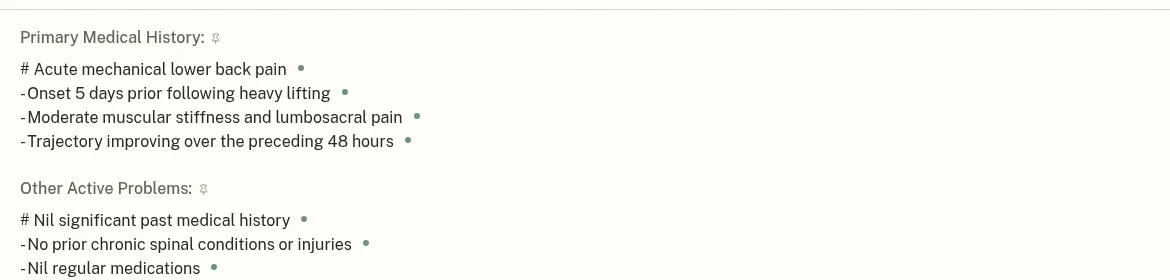
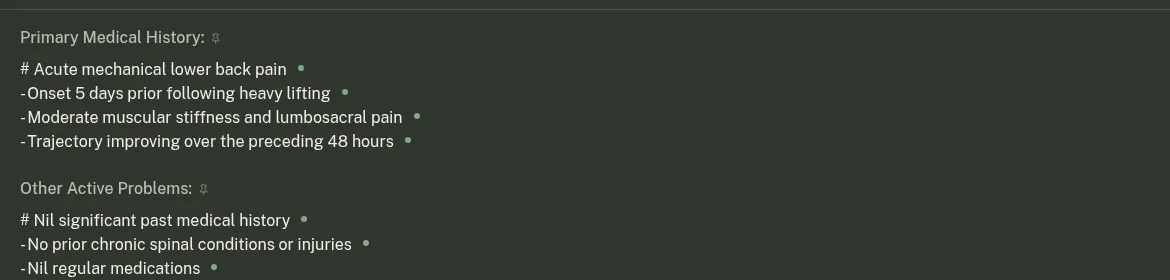
Click any dot to open its popover:
- Supported by N transcript line(s) — lists the utterances behind the note line, each with its
[N]transcript index and a speaker dot. - No supporting transcript line found — review before saving — shows the flagged note line so you can judge it yourself.
- Contradicts the transcript — shows the transcript line(s) that say the opposite, under the heading The transcript says the opposite:.
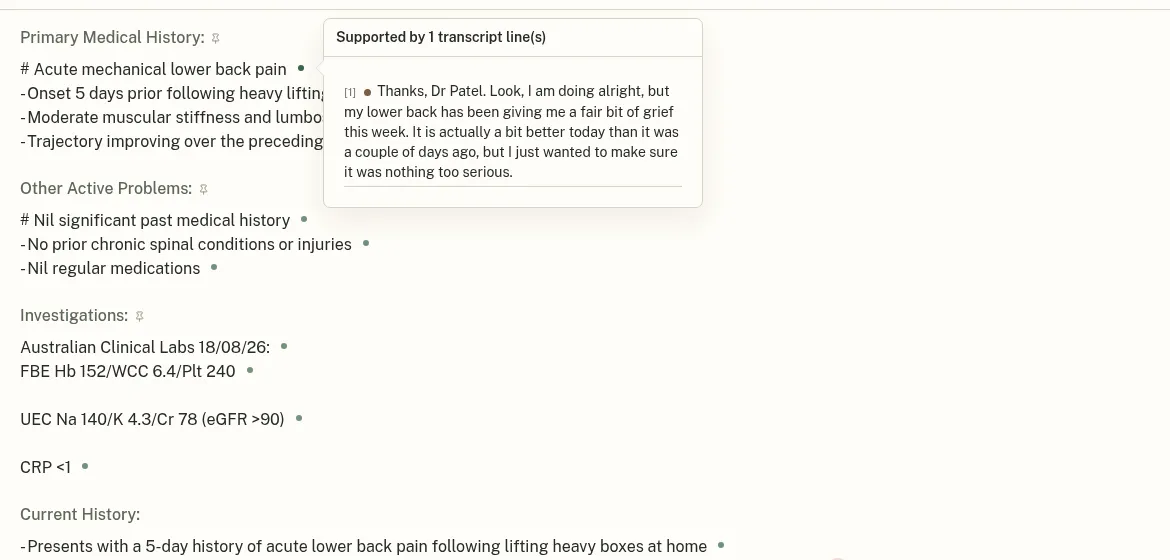
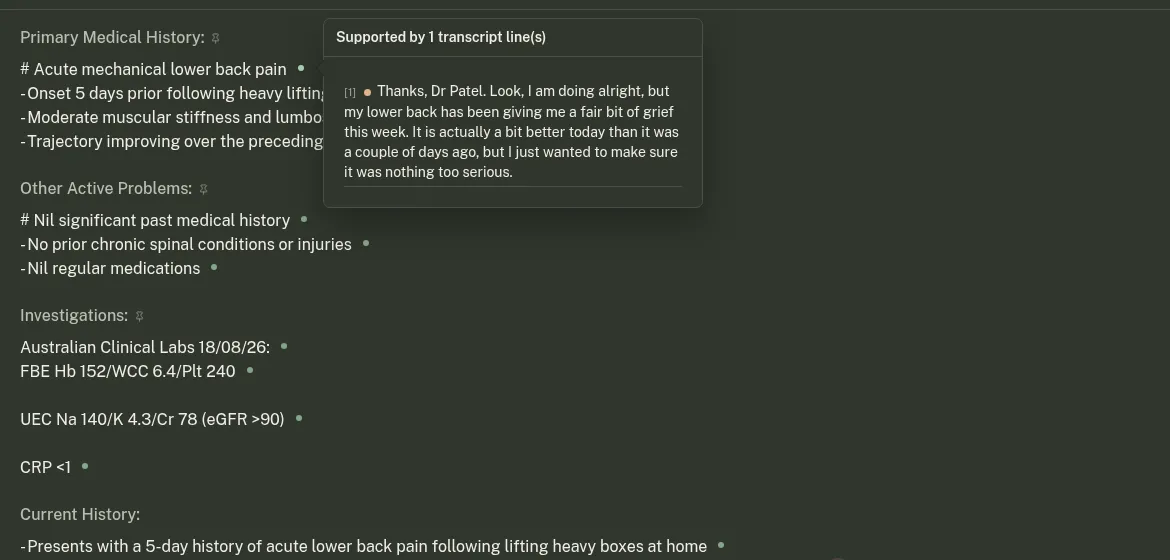
Clicking any utterance in a popover jumps to that line in the transcription panel and highlights it, so you can read the remark in context.
Resolving Flags
Not every unverified line is wrong — clinicians add context the patient never said aloud. When you've checked a line and want to keep it:
- Click Keep in the popover. The flag is dismissed for that line and Phlox remembers the dismissal.
Badges follow your edits: as you edit a field, citations re-anchor to the current text line by line, and lines the scribe never wrote (your own additions) are exempt from flags. If the transcript itself is replaced — for example after reprocessing — the badges stand down until a fresh grounding, so you're never shown verdicts against a transcript that no longer matches.
Provenance Markers
Next to a field's name you may also see:
- A thumbtack — the field is persistent: its content carries over between encounters.
- A warning triangle (live agent only) — the live agent wrote this persistent field during the session and you haven't re-edited it by hand. Its content persists into future encounters, so review it before saving.
- An exclamation mark — the whole field could not be matched to the transcript (Some lines could not be matched to the transcript); per-line badges are replaced by this field-level warning.
When Grounding Runs
- Ambient — each field is grounded as its style refinement completes, so badges start appearing while later fields are still being written.
- Live agent — the note is grounded when the session stops: the final note, persistent fields included, is verified against the whole consultation. See agent-edit markers for what happens to persistent fields.
- Grounding never blocks the note. It is fail-open by design: if the grounding pass cannot run, you simply get the note without verdicts.
For the technical pipeline, see Architecture → Note Grounding.